Your workday, as it actually happened.
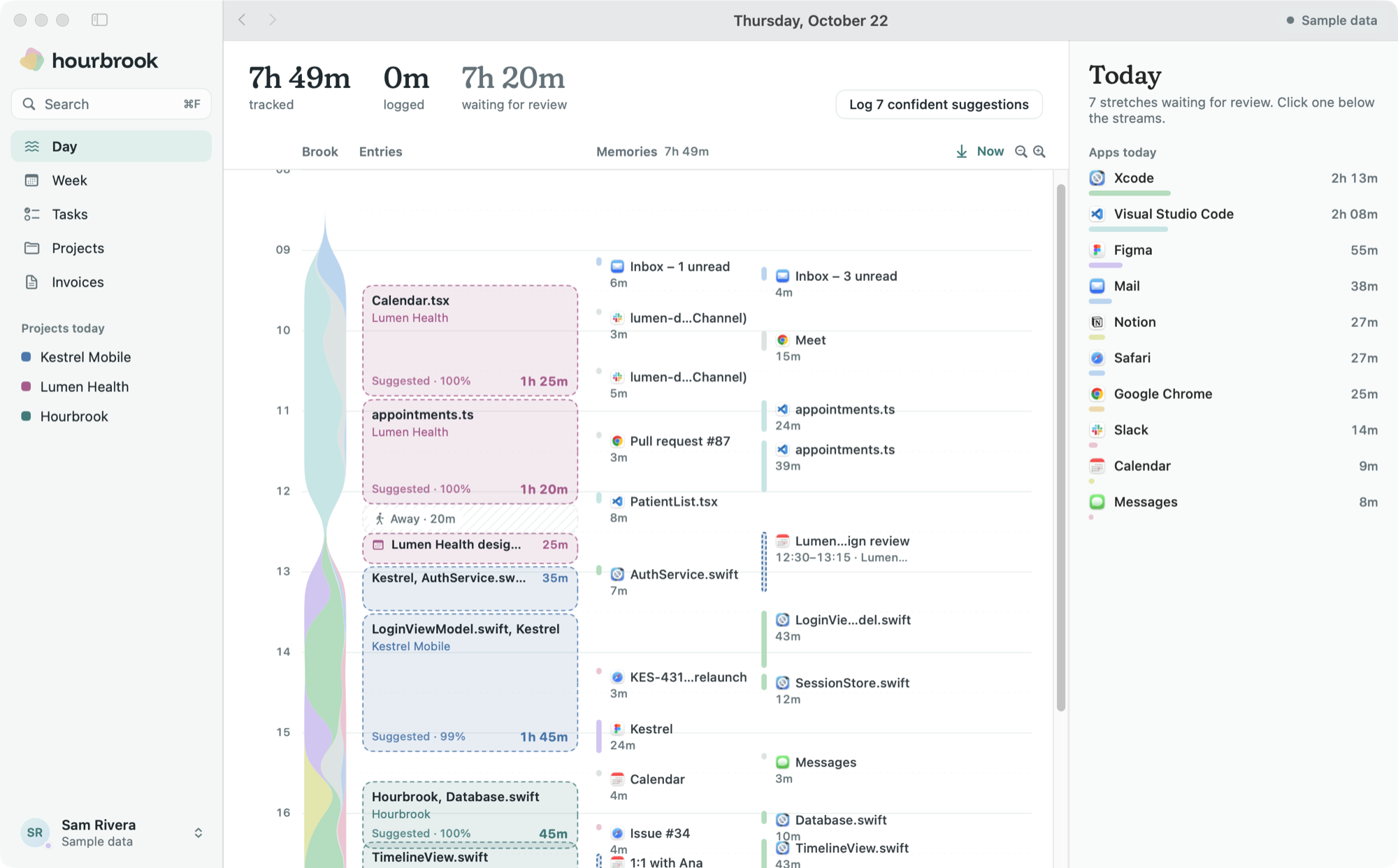
Hourbrook notes which apps and windows you use, draws the day as a brook, and drafts your timesheet. Everything it sees stays on your Mac.
Hourbrook is drawing the day as it happens.
What it sees
Read through macOS Accessibility and kept in a database on this Mac. They never sync.
Three minutes at the end of the day.
What it does with your day
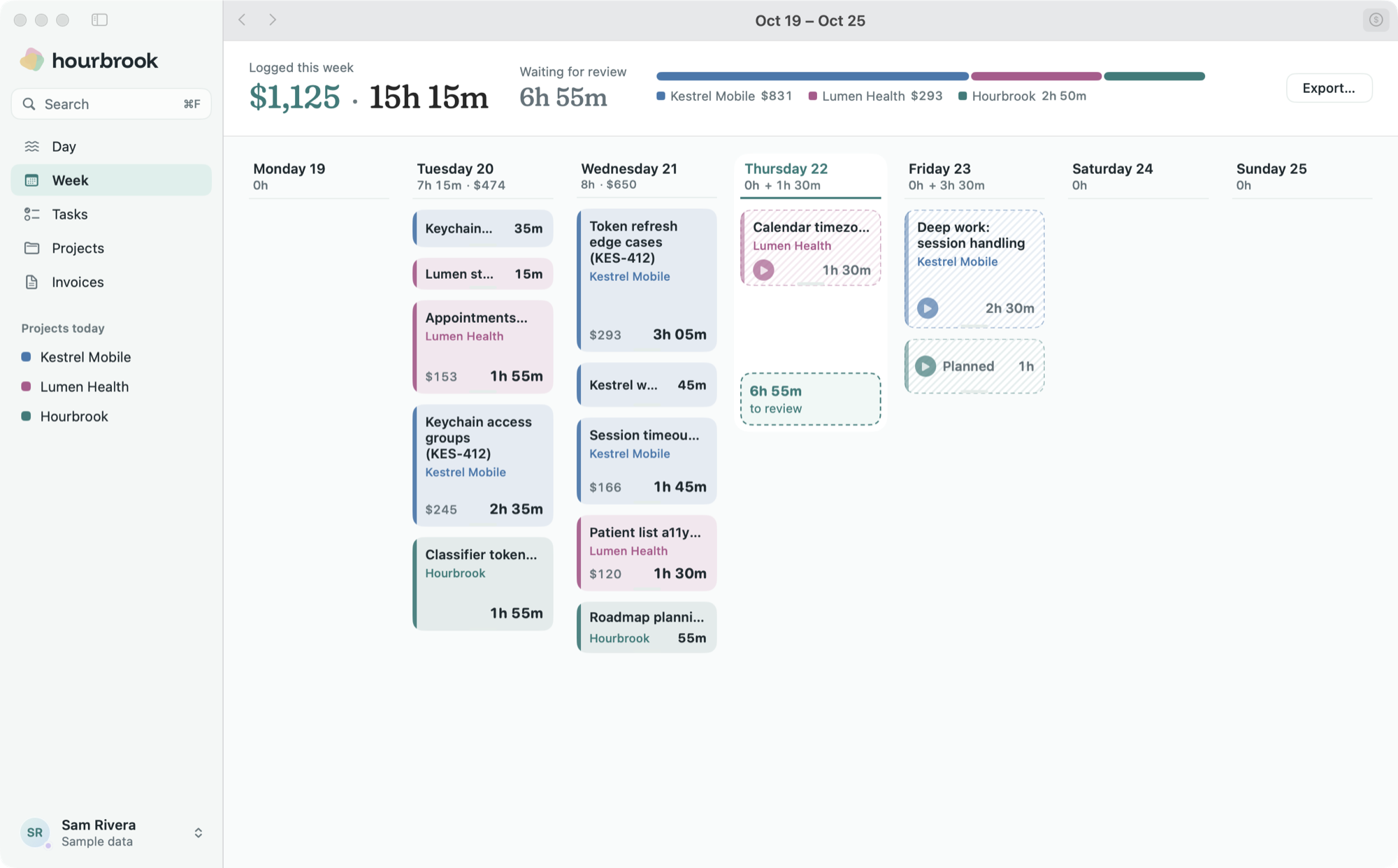
It learns your projects from what you log94% sure, shows why14 earlier days, and sends hours to Toggl, Harvest or JiraExport…or onto an invoiceHB-2026-012.
- Rules for what you never want guessed: titles ending in
KestrelMobile
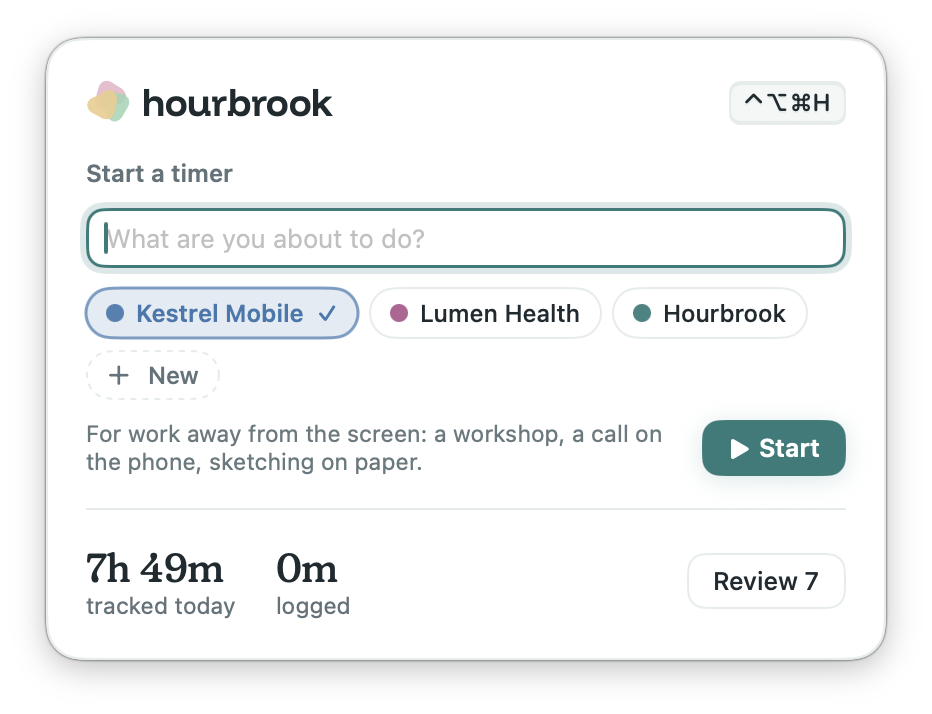
always go to Kestrel Mobile. - Drag across any stretch to log time you weren't at the Mac, like a call on your phone.
- Hourly rates per project, so the day and the week show what you earned.
The gaps get filled in, too.
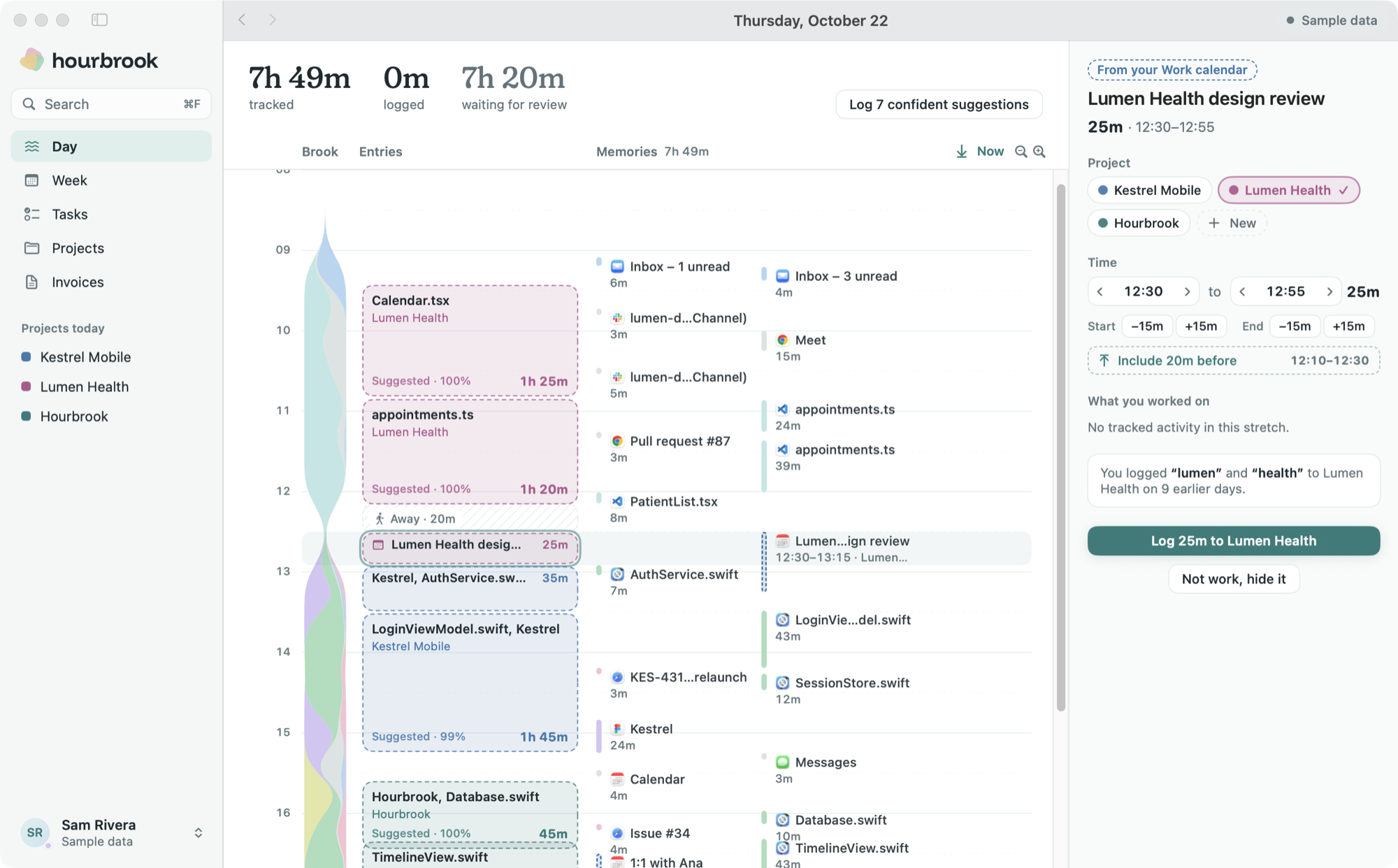
Your calendar fills the gaps
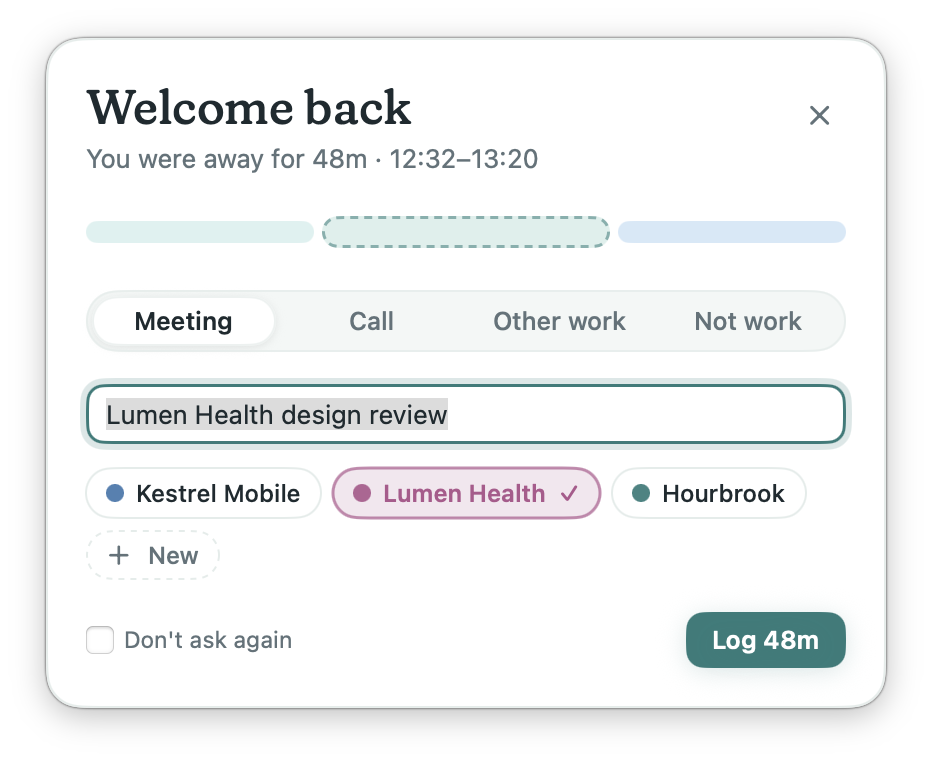
Meetings appear on your day. The ones you weren't at your Mac for become suggestions, ready to log. Calendar data stays on your Mac.
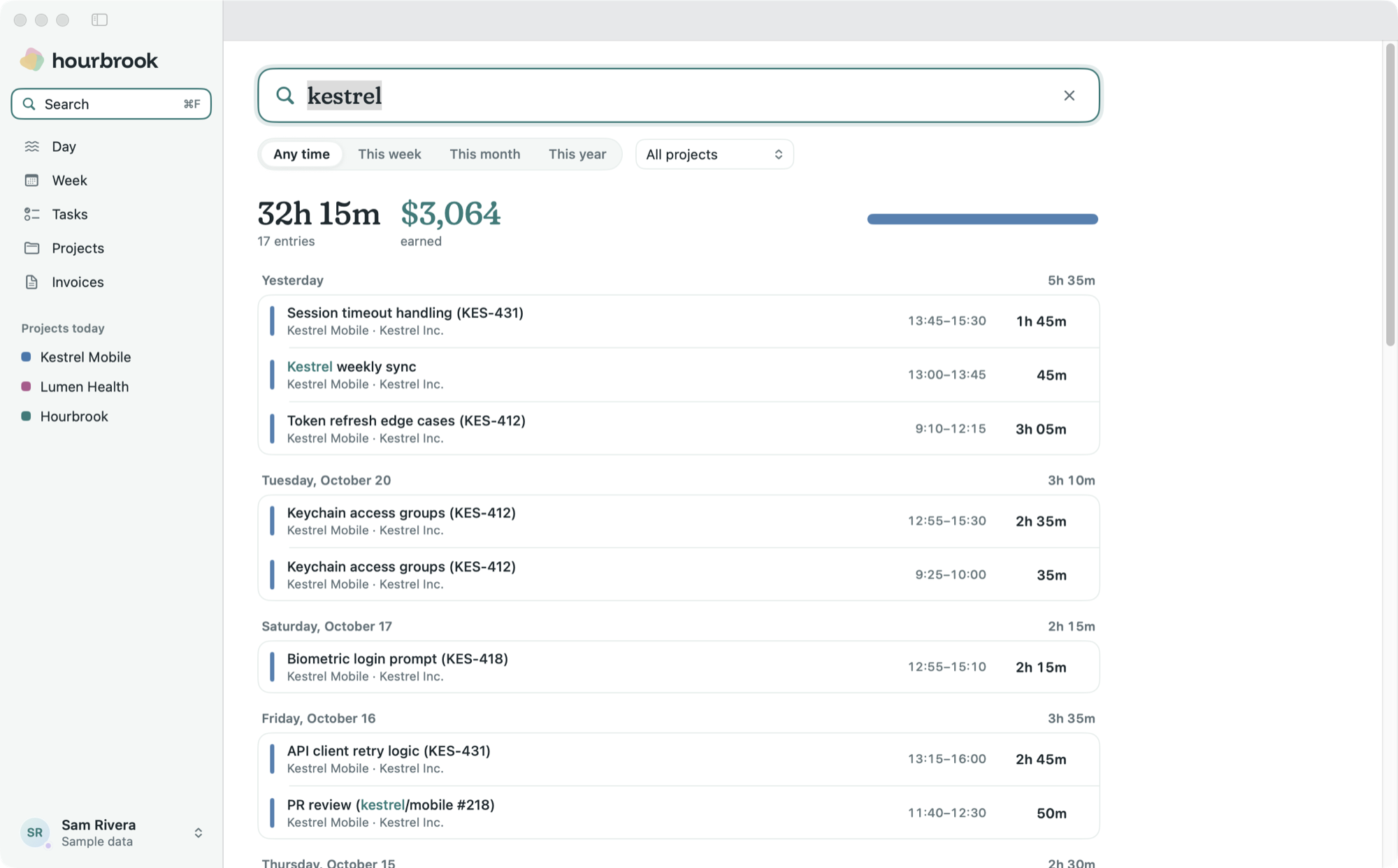
Search everything, locally
Find entries by title, project or client, and see the hours and earnings for what you found. Activity is searchable too, by file, ticket, window or site. Nothing leaves the Mac.
- Long stretches split by task. A three-hour Xcode block becomes one entry for each file or ticket you spent 20 minutes or more on.
- Review from the keyboard. J and K to move, Return to log, Delete to leave out, and Undo when you change your mind.
- A nudge, and a way out. A daily reminder to review your day, and export or back up all your data whenever you like.
Free on one Mac.
Tracking, suggestions, reports, exports and invoices cost nothing on one Mac, for good. The paid plan only adds sharing: sync across Macs and the web dashboard.
$0forever
- Automatic tracking on one Mac
- Suggestions that learn your projects
- Rules, week reports, invoices and every export
- Every raw minute stays on the Mac
Pro, $7 a month billed yearly: sync across your Macs and the web dashboard. Teams are in early access: shared projects, while each person's activity stays on their own Mac. The free plan stays free after the beta. Pro is free during the beta, and we'll tell you a month before that changes.
Questions people ask first.
Does Hourbrook take screenshots or log keystrokes?
No. It records the name of the app in front, its window title, and the address of the browser tab you're on. That's all, and it never leaves your Mac.
Can my employer or client see what I did all day?
Only the entries you approve: a project, a short description and a duration. Window titles, apps and web addresses are not part of what syncs, on any plan.
Which browsers does it read addresses from?
Safari, Chrome, Arc, Brave, Edge and Vivaldi. macOS asks once per browser. Firefox works too, with window titles only. Incognito windows in Chrome, Arc, Brave, Edge and Vivaldi are skipped.
What happens when I step away?
After five minutes without input, Hourbrook stops counting and closes the stretch at your last keystroke or click. Video calls in Zoom, Teams, FaceTime and Google Meet keep counting.
Can I send my hours to Toggl, Harvest or Jira?
Yes. Export any week as a CSV in the format Toggl Track, Harvest or Clockify import, or as Tempo worklogs for every entry that names a Jira issue.
How does it know which project I was on?
From the entries you log. It learns which files, repositories, sites and channels belong to which client, runs entirely on your Mac, and shows the evidence behind every suggestion.
Is there a Windows or iPhone app?
Not yet. Hourbrook starts on the Mac, where it can read window titles reliably. The web dashboard works in any browser, phone included.
Find out where today went.
Join the beta, allow one permission when it arrives, and keep working. Tonight your day is waiting as a brook, with the timesheet already drafted.
Welcome to Hourbrook
Work as usual. Hourbrook keeps a private record of your day and turns it into timesheet entries for you to approve.
- What it records
- The app in front, its window title and, in browsers, the page address.
- What it never records
- Screenshots, keystrokes, page contents, incognito windows, password managers.
- Where it stays
- On this Mac. Only entries you log can sync to your account.